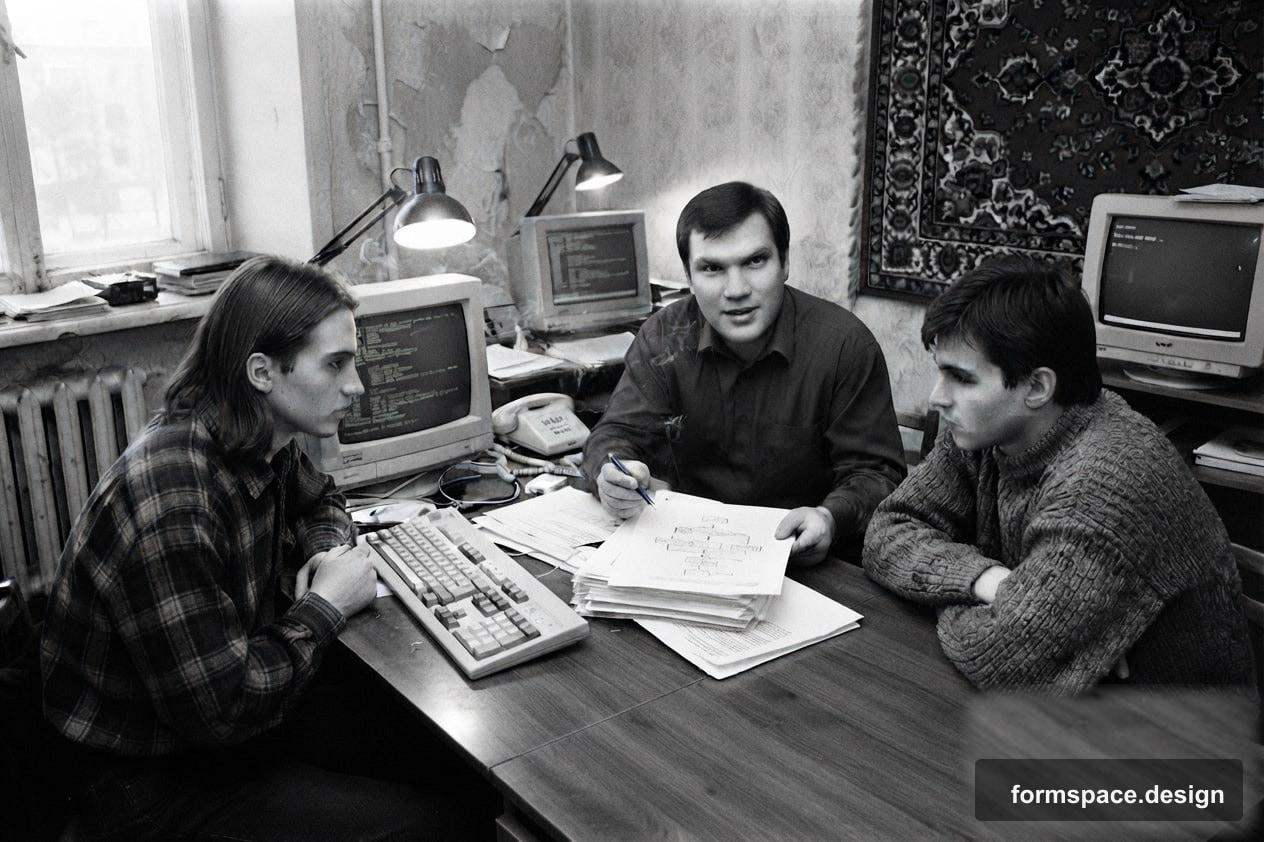
How I Hired Programmers Without Knowing What Exactly to Explain to Them
My personal experience working with programmers in the 90s and 2000s: mistakes, lessons learned, and how it led to the creation of formspace.design with AI.
In the early 90s, when I was just starting my business at Alkar NPF, the world of information technology was something new and mysterious to me. As a director, I saw huge potential in automating management accounting and creating specialized software for our isometric trainers. But there was one big problem: I had no idea how to "translate" my business objectives into a language understandable to programmers.
The essence of the problem was not a lack of ideas, but the inability to formulate them clearly. I knew what I needed in the end, but I didn't understand how it should work internally, what steps needed to be taken, and what data was required for input and output. This led to long and often fruitless collaborations, where we spent a lot of time and resources, only to get something completely different from what we expected.
My First Experience with Automation and Programmers
My entrepreneurial activity began in 1991 with Alkar NPF. We were developing software for training methods on isometric trainers, and also trying to implement management accounting in the nascent commercial market. That's when I first faced the need to set tasks for programmers. I was full of enthusiasm, but completely lacked experience in formulating technical specifications.
I thought it was enough to say: "I need a program that will calculate income and expenses" or "Make sure that training data is automatically saved and analyzed." Programmers would nod, retreat into their "cave" for a few weeks, and then bring a product that required refinements, reworks, and sometimes didn't meet my expectations at all. It was a constant cycle of trial and error that cost me a lot of nerves and money. For example, one accounting module, which I thought should be simple, took us several months and an amount equivalent to the cost of a small used car at that time, and the result was still far from ideal.
Typical Mistakes in Task Setting
Over the years, I identified several key mistakes that I made myself and saw in others:
- Vague formulations. "Make it convenient," "make everything fly," "intuitively understandable." These phrases say nothing about specific functionality.
- Lack of detail. I didn't describe usage scenarios: who would use the program, what data would be entered, what to expect as output in different situations. The programmer couldn't guess all the nuances of my business.
- Frequent changes in requirements. During development, new ideas would emerge, and I would immediately ask for them to be implemented. This confused the team, extended deadlines, and increased costs.
- Misunderstanding technical limitations. I didn't always realize that some of my wishes might be too complex, costly, or simply unfeasible with existing technologies and budget.
Lessons I Learned
My experience with Alkar (and later with Alkar-Invest, where we dealt with investment programs) taught me the value of clear communication. I realized that for successful interaction with programmers, one needs to:
- Detail the task as much as possible. Break it down into small, understandable steps. Describe what happens at each stage, what data is used, and what result is expected.
- Use prototyping. Even a simple sketch on paper or in a graphic editor helps visualize the idea and agree on it before coding begins. It's like a blueprint before building a house.
- Describe User Stories. "As a user, I want [this function] so that [I can get this benefit]." This helps the programmer understand the goal and context of the task.
- Document requirements. Any changes must be documented and agreed upon to avoid misunderstandings and unnecessary work.
From Problem to Solution: formspace.design and AI
All this experience, this "pain" from inefficient interaction with developers, led me to a deep understanding of the importance of structured thinking and visualization. When I decided to develop formspace.design myself at 61, I already knew that my tool should help the user become their own "programmer" in matters of plot planning. That is, to express their idea as clearly and visually as possible without the need to "translate" it for someone else.
I started coding with the help of AI, and it became a real breakthrough. Now I can directly "explain" my ideas to algorithms, without going through the complex interpretation process. This allowed me, a person without a specialized IT education, to create a product that I so desperately needed in my many years of landscape design practice at the Dom i Sad company.
How I Plan in formspace.design
My experience with programmers taught me how important it is to be able to visualize and structure my ideas. This very principle formed the basis of formspace.design. When I started creating it, I already knew that the tool should help the user become their own "programmer" in terms of plot planning, that is, to express their idea as clearly and visually as possible.
In formspace.design, this is achieved through a series of modules. For example, in modules 1.x (Plan, Zones, Objects), I can step-by-step define all my "requirements" for the plot: mark boundaries, divide it into functional zones (recreation, garden, playground), and place key objects (gazebo, pond, paths). This allows me to create a detailed "technical plan" for my future garden, where each element has its place and purpose. This is much more effective than simply describing ideas in words, and helps avoid many errors that arise from unclear task setting. Also, before moving on to more complex stages, I always pay attention to the logic of zoning, so that all elements of the plot are functionally and aesthetically connected. You can read more about how to choose a style that will harmonize with all zones in the article How to choose a landscape design style.
Then, module 2.1 "AI Concept" allows me, based on this structured data, to generate ideas and concepts. This is like explaining my requirements to a very smart designer who would immediately offer several options. And module 3.1 "Design by Photo" makes it possible to "overlay" these concepts onto a real photo of the plot, instantly visualizing the result. This approach minimizes the risks of misunderstanding that I encountered in the past when working with external contractors, and allows me to quickly and accurately implement my ideas, even when it comes to planning a small plot where every square meter counts. You can learn about the nuances of planning such spaces in our article Features of small plot planning.
FAQ
Can one do without a clear technical specification if the programmer is very experienced?
Even the most experienced programmer cannot read minds. A clear technical specification (or its equivalent, such as detailed user stories and prototypes) is the foundation of a successful project. The programmer's experience will help them better interpret your ideas and propose optimal solutions, but without initial data, they will work blindly, which will inevitably lead to reworks and wasted time.
What if requirements constantly change during the work process?
This is a natural process, but it needs to be managed. It is important to agree with the team on a procedure for making changes. For example, the project can be broken down into small stages (sprints), after each of which new requirements for the next stage are agreed upon and fixed. This allows for process control and avoids chaos.
What if I don't understand technical details, but I need a complex product?
In such a case, a business analyst or project manager can help you by acting as an intermediary between you and the technical team. Their task is to translate your business requirements into technical language and vice versa. It is also useful to learn the basics of development to understand the capabilities and limitations of technologies at least at a basic level.
Can one learn to set tasks for programmers without a technical education?
Absolutely. My experience confirms this. The main thing is to develop systematic thinking, learn to detail your ideas, describe user scenarios, and visualize the desired result. The clearer you can imagine and describe how the system should work, the easier it will be to convey this to any executor, be it a person or AI.
How does formspace.design help avoid problems with task setting?
formspace.design is initially designed as a tool that allows the user to become the "architect" of their landscape themselves, bypassing the stage of "translating" their ideas for others. Through visualization, step-by-step planning, and interactive modules, you yourself form a clear "technical specification" for your future garden, which significantly reduces the risks of misunderstanding and errors in implementation.
My Journey Continues
My experience working with programmers taught me to value clarity and systematicity. Today, creating formspace.design, I use all these lessons. I am building a tool that allows everyone to bring their ideas to life, bypassing communication barriers and technical complexities. This is a path accessible not only to "IT specialists" but to everyone who is ready to learn and apply a structured approach to their tasks. Try it yourself to see how it works, and watch your ideas take shape with formspace.design.
Published:

Volodymyr Vybornyi
Landscape designer, founder of https://formspace.design/
Writes about landscape design, business, and modern computer-aided landscape planning tools, including AI.